The world of content creation is buzzing, and live streaming is at its epicenter. Everywhere you look, creators are going live, brands are hosting real-time events, and audiences are showing up in huge numbers.
Industry forecasts show that live streaming could reach more than $247 billion by 2027, and over 70% of Gen Z watches live content every week.
This rise brings a major challenge for creators. Choosing the right live streaming software has become one of the most important decisions you can make.
Your live stream quality, how smooth your broadcast feels, how many platforms you reach, and even how your audience experiences your content all depend on this one choice.
Selecting the right tool is no longer about simply going live. It involves finding a solution that offers reliability, strong performance, multi-platform reach, and an interface that feels easy to use.
What This Guide Delivers
You’re about to get a clean, updated, and easy breakdown of the best software to live stream, chosen based on today’s trends, creator needs, features, and real performance.
The selections are based on current trends, creator workflows, essential features, and real-world performance testing.
What to Look for in Live Streaming Software (Key Features)
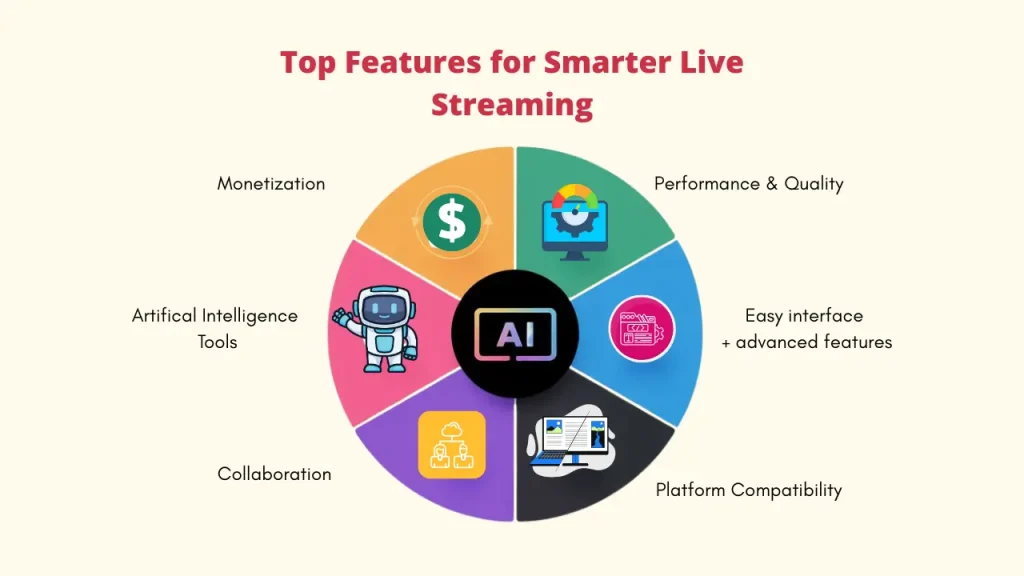
Before you invest time or money, evaluate your options against these critical benchmarks:
- Performance & Streaming Quality – Support for HD/4K streaming, low latency, and efficient encoding for smooth broadcasts.
- Platform Compatibility – Multistreaming to platforms like YouTube, Twitch, Facebook, and LinkedIn from a single stream.
- User-Friendly Interface – Easy setup for beginners with advanced tools for professional creators.
- AI-Powered Features – Background removal, noise suppression, auto-framing, live captions, and scene detection.
- Monetization Tools – Donations, subscriptions, pay-per-view, ads, sponsorships, and merchandise integration.
- Collaboration Features – Remote guest support, screen sharing, multi-camera input, and live interview capabilities.
Essential 8 Best Software to Live Stream for Content Creators
Here are the 8 most powerful tools you should consider, broken down for clarity:
1. Livecaster
Overview
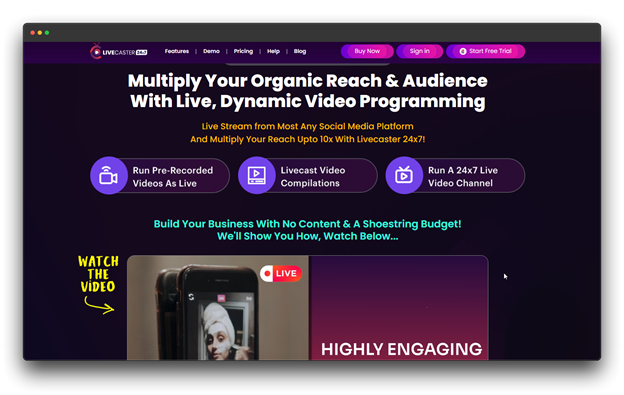
Livecaster is a next-gen streaming platform that combines simplicity with strong multi-streaming features. Whether you’re a new creator or a professional broadcaster, it gives you the tools to produce polished, professional live streams with ease.
Major benefits
📌 Multi-Platform Streaming: Broadcast to multiple platforms at once no extra tools required.
📌 Professional Controls: Scene management, overlays, and dynamic graphics.
📌 Reliable Performance: Optimized encoding for smooth streams on most devices.
📌 Flexible Setup: Compatible with various cameras, capture cards, and mics.
📌 Continuous Updates: New features added regularly based on user feedback.
Pricing
$27 per month with a business use license and up to 5 channels.
Suitable For
Small businesses and creators looking for a desktop streaming solution that is both powerful and simple to use without the complexity of an enterprise.
2. StreamYard
Overview
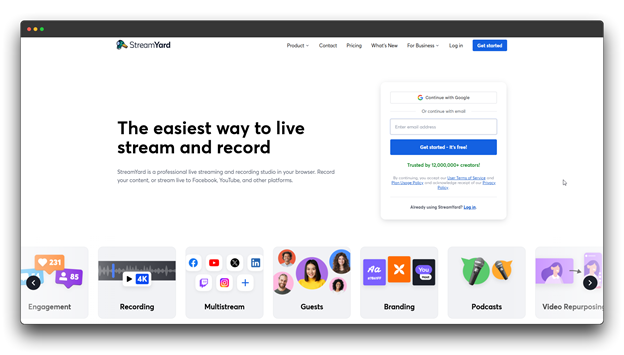
StreamYard is simple, browser-based software for live streaming that lets you go live in seconds with no downloads and no technical setup. It’s perfect for interviews, webinars, panel talks, and smooth online events.
Major benefits
📌 Browser-Based: Go live from any device without installing anything.
📌 Easy Guest Access: Invite up to 10 guests with a single shareable link.
📌 Custom Branding: Add your logo, overlays, colors, and backgrounds.
📌 Multi-Platform Live Stream: Stream to YouTube, Facebook, LinkedIn, and at the same time.
📌 Audience Engagement: Show live comments on-screen to boost interaction.
Pricing
Paid plans start at $29/month (annual billing) and include multistreaming plus pre-recorded stream options.
Suitable For
Podcasters, interview hosts, small businesses, and anyone who wants a simple, clean, and professional browser-based streaming setup.
3. Restream
Overview
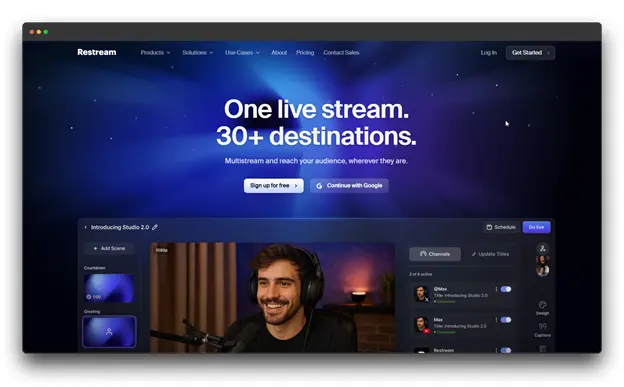
Restream is well-known for its multistreaming software, which allows it to live stream.
It lets you go live on many platforms at the same time and manage all your chats and interactions from one easy dashboard. This live streaming software works as both a browser-based studio and a distribution tool.
Key Benefits
📌 Multi-Platform Reach: Stream to YouTube, Twitch, Facebook, LinkedIn, TikTok, and more in one go.
📌 Restream Studio: Go live right from your browser with guests, overlays, layouts, and custom branding.
📌 AI Clips: Instantly turn long streams into short highlight videos.
📌 Scheduling: Play pre-recorded videos as live events.
Pricing
Paid plans begin at $39 per month and include multistreaming on up to 5 channels as well as dual output.
Perfect For
Creators, marketers, and growing brands that want to reach bigger audiences on multiple platforms without any complicated setup.
4. Streamlabs
Overview
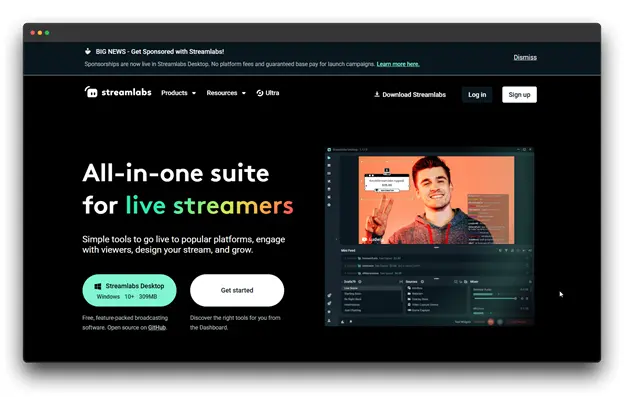
Streamlabs, which is based on OBS, is intended for creators who desire fluid streaming with robust audience engagement and easy monetization. It brings powerful broadcasting together with alerts, widgets, and donation tools.
Key Benefits
📌 Cloud Backup: Sync your settings across all devices.
📌 Monetization: Built-in tipping, merch, and sponsor features.
📌 Multi-Stream: Go live on multiple platforms at once.
📌 Mobile Control: Manage your stream through the Streamlabs mobile app.
Pricing
The Ultra Plan, which offers premium features and branding removal, starts at $27 per month.
Perfect For
Streamers, particularly gamers, seek a comprehensive, user-friendly platform to interact with viewers and generate income.
5. Wirecast
Overview
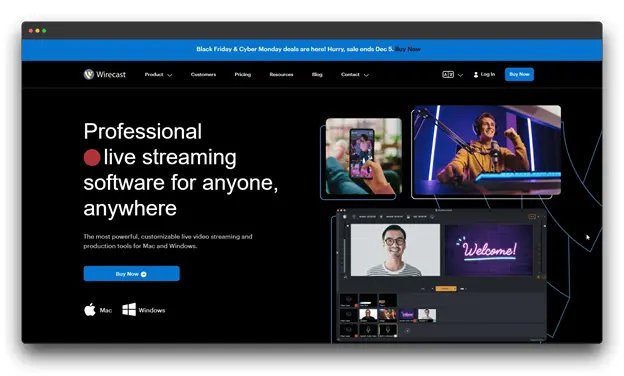
Wirecast is top software to live stream that turns any computer into a full professional broadcast studio. It’s widely trusted by sports teams, schools, event companies, and worship centers for high-quality, polished streaming.
Key Benefits
📌 Pro Tools: Advanced titling, scoreboards, and instant replay.
📌 Multi-Camera Switching: Handle unlimited video sources easily.
📌 Built-In Graphics: Use stock media, lower thirds, and animations.
📌 Guest Integration: Bring remote guests using its built-in Rendezvous feature.
Pricing
Wirecast Studio costs $599 (one-time purchase) or $29.08/month (subscription) with screen capture and two remote guests.
Perfect For
Professional broadcasters, sports teams, and organizations need premium, studio-level live production.
6. vMix
Overview
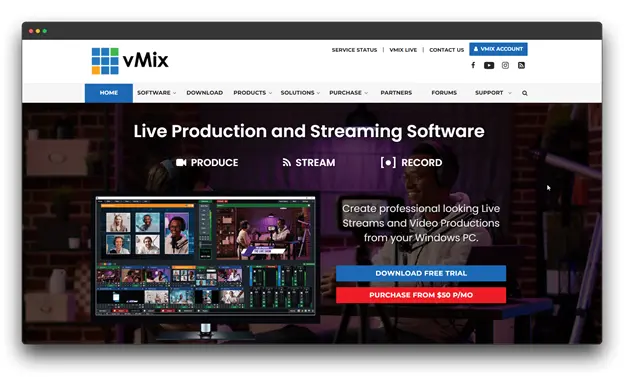
vMix is a powerful Windows-based production software that offers pro-level features at a much lower cost than hardware switchers. It’s a favorite among video producers, event streamers, and anyone needing advanced multi-camera setups.
Key Benefits
📌 Pro Audio Mixing: Built-in EQ, compression, and effects.
📌 Instant Replay: Perfect for sports and event highlights.
📌 NDI/SDI Support: Works with professional video inputs and outputs.
📌 PTZ Control: Remotely operate pan-tilt-zoom cameras.
Pricing
Plans start at $50/month, supporting up to five simultaneous live streams.
Perfect For
Professional producers, live event streamers, and skilled Windows users looking for high-level production control.
7. Muvi Live
Overview
Muvi Live is a powerful software for live streaming that acts as a full streaming ecosystem. It includes its own encoder, CDN, DRM security, and monetization tools, making it ideal for creators and businesses that want complete control over their streaming setup.
Key Benefits
📌 Monetization Options: Subscriptions, pay-per-view, and ad support.
📌 Multi-Camera Input: Connect several devices as video sources.
📌 White-Label: Create fully branded apps and websites.
📌 Analytics: Access detailed viewer and engagement reports.
Pricing
Plans that include event recording and analytics begin at $84 per month.
Perfect For
Businesses, educators, and pro creators who need a secure, white-label streaming platform with built-in monetization and analytics.
8. Upstream
Overview
Upstream markets itself as software to live stream that prioritizes community development and revenue generation for creators. It’s designed for creators who want to build direct relationships with their audience without relying solely on platform algorithms.
Key Benefits
📌 Creator-Focused: Designed for independent creators and influencers.
📌 Community Features: Tools that help deepen audience engagement.
📌 Flexible Monetization: Multiple ways to earn in one place.
📌 Cross-Platform Streaming: Go live on major platforms while keeping full ownership of your audience.
Pricing
$50 per month, with instant server access and high-quality audio.
Perfect For
Independent creators and influencers who want to build loyal communities and earn through direct audience support, not just ad revenue.
The Future of Software to Live Stream
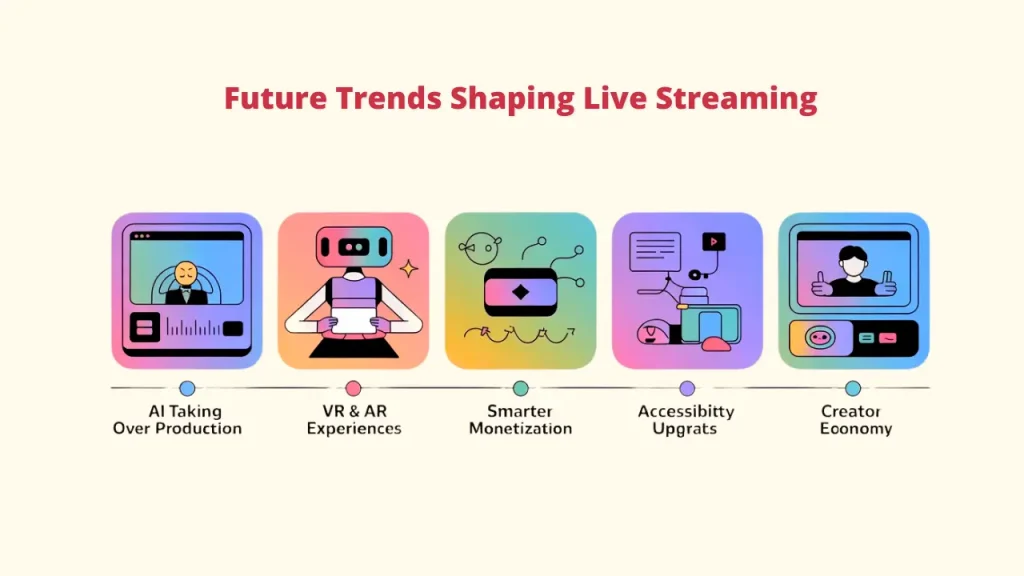
The world of software to live stream is moving faster than ever. New technology is changing how creators go live. What’s coming next will completely reshape the live-streaming experience for everyone.
A. AI Doing More of the Heavy Lifting
AI is expected to take on a larger share of production work. Smart camera switching, automated graphic overlays, real-time editing support, and personalized content suggestions will become standard features. Software to live stream will feel smoother and more professional with less manual work.
B. Virtual Reality and Immersive Streaming Experiences
Picture this: viewers not just watching your stream but stepping inside it. Virtual reality and augmented reality will make live events more interactive and life-like. Platforms like Livecaster can already stream multiple videos at the same time, helping creators reach more people naturally
C. Enhanced Monetization Models
Beyond subscriptions and donations, look for more innovative ways to monetize, including dynamic in-stream commerce, interactive NFTs, and hyper-personalized ad experiences.
D. Greater Accessibility Features
Future software to live stream will be more inclusive. Real-time captions, sign language features, and customizable interfaces will make live streams easier for all audiences to enjoy.
E. Predictions for Creator Economy Growth
More people will turn their creativity into real careers. As software to live stream becomes more advanced and easier to use, creators of all levels will find new ways to build, earn, and grow online.
Conclusion
You are creating content in a time when live streaming is more than a trend. It has become a powerful movement that is changing the way people connect, learn, and share ideas.
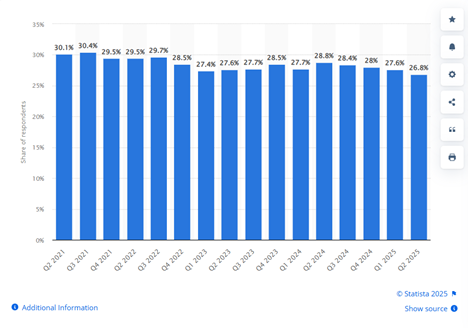
The revolution in streaming is already here, not on the horizon. 28.5% of internet users watch live streams on a weekly basis.
If you’re new to streaming, Livecaster is a smart place to start. This software to live stream makes going live easy, lets you stream on multiple platforms, and even allows you to schedule pre-recorded videos as live events, perfect for staying consistent without extra work.
Remember, there’s no one “perfect” tool. The best software to live stream is the one that matches your goals, your style, and your workflow.
So take the step and hit that Go Live button.
Every creator begins with one stream, and your next broadcast could be the one that inspires, teaches, or entertains thousands.
FAQs about the Best Software to Live Stream
Q: Can I stream to multiple platforms at the same time with the software to live stream?
A: Indeed! You can easily multistream with programs like Livecaster, StreamYard, and Streamlabs. If you use OBS Studio or vMix, you can pair them with Restream to go live on several platforms at the same time, helping you reach more viewers without extra effort.
Q: Do I need expensive equipment to start live streaming?
A: Not at all. Many creators begin with just a phone or a basic webcam. Software to live stream works fully on iOS devices, while OBS Studio and StreamYard run smoothly with simple webcam setups.
Q: How important are AI features in streaming software for live streaming?
A: They’re not required, but they help a lot. AI tools like noise reduction, auto-framing, and live captions can boost quality and make your stream more accessible. As AI grows, these features are quickly becoming common expectations.