
The demand for video content is expected to soar in 2025 and beyond. From fast-paced Reels and Shorts to TikTok trends, LinkedIn clips, and nonstop livestreams, audiences want something new almost every day.
But behind the scenes? Managing all that video across different platforms can feel like chaos.
Most creators and brands face the same struggles:
✔ Keeping a consistent posting schedule
✔ Handling multiple platforms at once
✔ Staying organized with all the video drafts, edits, and calendars
This article cuts through that overload. Below, you’ll discover the top 10 online video scheduling softwares and the smart, simple tips you need to choose the right one for your content flow.
What is Online Video Scheduling Software?
Online video scheduling software helps creators upload, organize, and schedule video content in advance. Instead of manually posting videos on every platform, these tools automate the entire process.
How it’s different from regular social media schedulers:
- Built specifically for video workflows
- Supports large video files
- Includes video previews, timeline management, and multi-resolution uploads
- Offers YouTube, TikTok, and livestream scheduling—not just posts
Key Use Cases for Online Video Scheduling Software
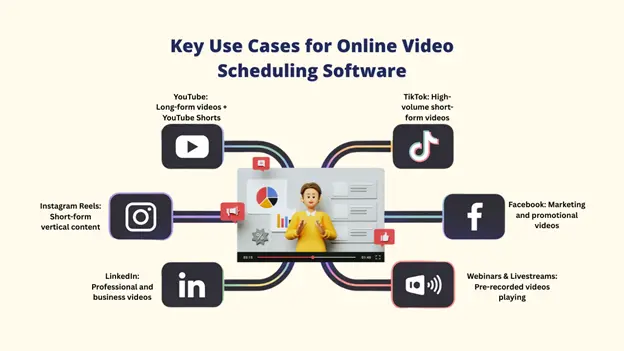
These tools cover a wide spectrum of video distribution needs:
➕ YouTube: Scheduling long-form videos and Shorts.
➕ TikTok & Instagram Reels: Managing high-volume, short-form content.
➕ LinkedIn & Facebook: Distributing professional and marketing videos.
➕ Webinars and Livestreams: Simulating live events with pre-recorded content for maximum audience attendance.
Why Use Dedicated Online Video Scheduling Software?
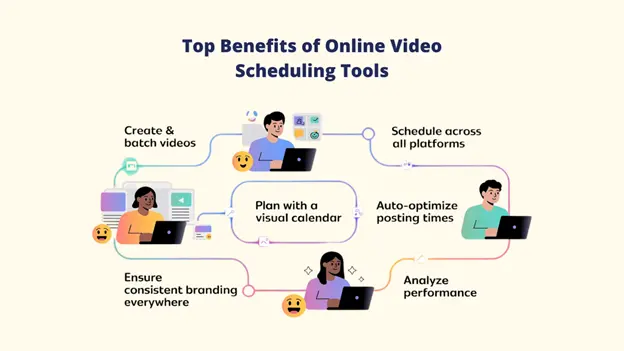
Dedicated online video scheduling isn’t a luxury; it’s a foundational requirement for a modern content strategy. Here’s a simple breakdown to help you see why it matters.
1. Save Time and Boost Efficiency
When you use online video scheduling software, you stop wasting time uploading the same video to different platforms again and again.
Instead, you can create all your videos at once, schedule them in a single session, and free up 10–15 hours every week. More free time means you can focus on your ideas, creativity, and planning.
2. Improve Content Planning
A visual video calendar makes planning feel effortless. You can clearly see:
- What’s coming next
- Where do you have gaps
- How do your videos line up with launches or events
This helps you stay consistent and avoid last-minute stress. Some tools, like Livecaster, even let you turn pre-recorded videos into live streams and broadcast to multiple platforms at once.
3. Optimize Posting Times
Most of the online video scheduling software shows you when your audience is most active. This means you can post at the perfect moment without guessing.
Better timing = better engagement, better reach, and better chances of going viral.
4. Ensure Consistent Cross-Platform Presence
From YouTube to TikTok to Instagram, consistency is key. Online video scheduling tools help you keep the same style, message, and tone everywhere.
Some platforms even adjust each video automatically to match the right size and format for every app, saving you editing time and extra effort.
5. Track Performance with Built-in Analytics
Built-in analytics show you how your videos perform. You can quickly see:
- Which videos get the most views
- What your audience likes
- Where do you need to improve
This helps you refine your strategy using clear, simple data instead of guesswork.
Top 6 Online Video Scheduling Software
Here is our curated list of the best tools to manage your video content workflow:
1. Livecaster
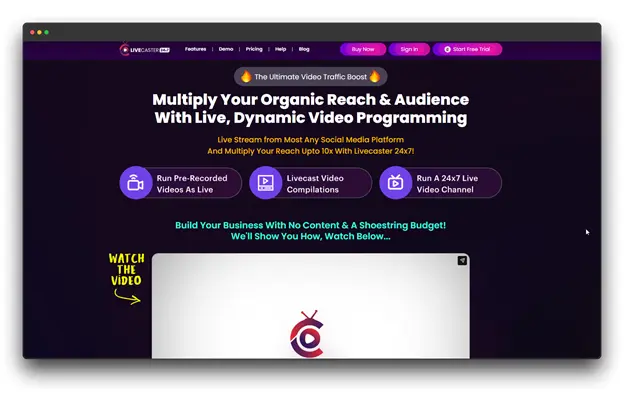
About the Tool
As an online video scheduling software, Livecaster is a clever tool that allows you to convert any pre-recorded video into a live stream.
You can broadcast it across several platforms at the same time, without the pressure of actually going live. It’s perfect for anyone who wants the engagement of live video but prefers the comfort of recording in advance.
Key Characteristics
➡️ Stream recorded videos as “live” on many platforms
➡️ Run 24/7 live channels with looping videos
➡️ Schedule everything on autopilot and stream everywhere at once
➡️ Works with all common video formats
➡️ Offers detailed analytics and alerts if something fails
Pricing
With optional Pro upgrades, this $27 one-time option offers unlimited live streaming at a reasonable price.
What Makes It Different
Pre-recorded videos can now have the impact of live streams thanks to Livecaster. You can increase your reach by up to eight times without ever going live because social media platforms prefer live content.
Perfect For
- Creators looking for live engagement without going live.
- Marketers are running automated promotional streams.
- Educators and trainers provide ongoing tutorials.
- Brands create live channels that are always on.
2. Sendible
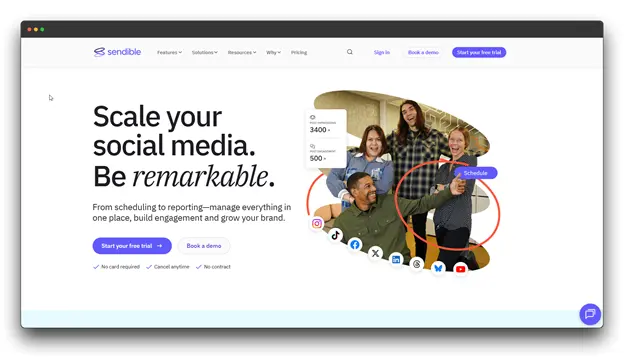
About the Tool
Sendible is a full social media management platform built with strong online video scheduling software features. It’s designed for agencies and marketing teams that handle many client accounts and need a smooth, organized workflow.
Key Characteristics
➡️ Smart Queue that posts videos at the best times
➡️ Team approval steps and a dedicated client portal
➡️ RSS automation for nonstop video uploads
➡️ White-label reports and clear analytics
Pricing
Plans start at $29/month for one user and one calendar. Higher plans add more users, profiles, and agency-focused options.
What Makes It Different
Sendible is distinguished by its client portals, branded reports, and agency-focused tools for approval workflows. It is perfect for easily publishing videos from YouTube or blogs because of its RSS feed automation.
Perfect For
- Digital agencies managing several clients
- Teams that need review
- Businesses wanting a complete social + online video scheduling software
3. Brandwatch
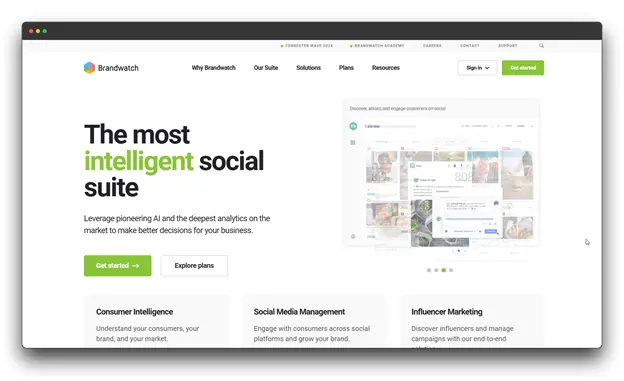
About the Tool
Brandwatch blends social listening, online video scheduling, and advanced analytics to help you make smarter content decisions based on real data. It also provides a unified content calendar and a strong publishing workflow for large teams.
Key Characteristics
➡️ Real-time social listening with sentiment analysis
➡️ Deep audience insights and influencer tracking
➡️ Competitive benchmarking and campaign monitoring
➡️ AI-driven content suggestions and clear analytics dashboards
Pricing
Pricing is custom and usually starts in the higher range. You’ll need to contact Brandwatch for a personalized quote.
What Makes It Different
More than just a scheduler, Brandwatch assists you in understanding your monitoring trends and developing your video strategy based on in-the-moment discussions. Your content becomes more potent and relevant as a result.
Perfect For
- Enterprise brands managing large-scale operations
- Teams focused on analytics and competitive intelligence
- Businesses needing social listening and advanced reporting
4. Later
About the Tool
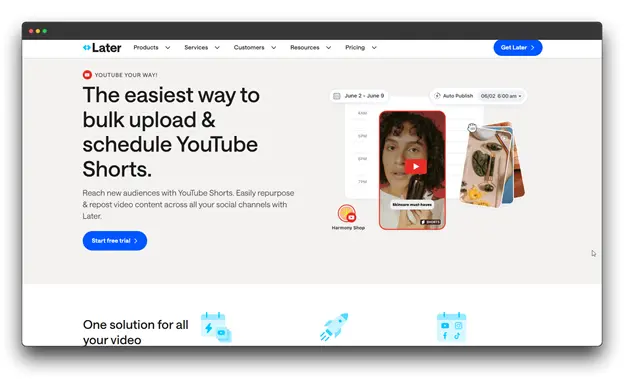
It began as an online video scheduling software but has since evolved into a comprehensive visual content platform.
It’s great for planning and scheduling videos for Instagram Reels, TikTok, and YouTube Shorts, making it ideal for creators who focus on short-form video.
Key Characteristics
➡️ Simple drag-and-drop visual calendar
➡️ Instagram grid preview to plan your feed’s look
➡️ AI tools for captions and hashtag ideas
➡️ Best posting time tips and video performance insights
Pricing
Plans with smart scheduling and team collaboration options start at $37.50 per month.
What Makes It Different
Later is all about visuals. Its clean layout, grid preview, and AI features help you keep your feed consistent, organized, and on-brand across all platforms.
Perfect For
- Instagram and TikTok creators
- Fashion, lifestyle, and visually focused brands
- Small businesses and influencers who rely on storytelling through visuals
5. BIGVU
About the Tool
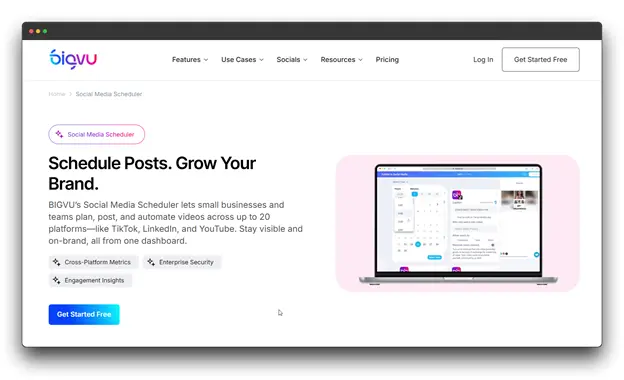
BIGVU is a comprehensive video creation and online video scheduling software that includes a teleprompter, video editor, caption creator, and multi-platform scheduler. It works like a complete video studio, allowing you to record, edit, and schedule content in one smooth workflow.
Key Characteristics
➡️ Built-in teleprompter with an AI script creator
➡️ Green screen tools and custom brand kits
➡️ Auto-Shorts tool to turn long videos into quick clips
➡️ Cloud sync across desktop and mobile for a smooth workflow
Pricing
Paid plans, which allow you to produce 4K videos up to 59 minutes long and even go live, start at $17.91 per month.
What Makes It Different
Because it combines scheduling and video creation, BIGVU is ideal for users who want to record, edit, and publish videos all in one place.
Perfect For
- Solo creators and teachers
- Coaches and consultants
- Small teams that rely on teleprompter-based videos
6. OpusClip

About the Tool
OpusClip is an AI-driven video repurposing and online video scheduling software. It takes long videos like podcasts or YouTube content and automatically turns them into short, viral-style clips. You can then schedule these clips across major social platforms with ease.
Key Characteristics
➡️ AI clip generation with “Virality Score” predictions
➡️ Auto captions and reframing for all aspect ratios
➡️ AI B-roll suggestions and brand templates
➡️ Team collaboration and export to Premiere Pro
Pricing
$29/month (Pro), which includes advanced AI tools, platform connections, and scheduling features.
What Makes It Different
OpusClip’s AI studies viral trends and predicts which moments from your long videos will work best as short clips. This helps you repurpose content quickly and create smarter, high-performing short videos.
Perfect For
- Podcasters and YouTubers repurposing long videos
- Webinar hosts and marketers
- Creators who want AI-optimized short-form content
Comparison Table: Top Online Video Scheduling Software
| Tool Name | Core Function | Price Type | Best For |
| Livecaster | Simulate pre-recorded streams 24/7 loops | One-Time Fee | Creators & marketers |
| Sendible | Agency social management | Monthly Subscription | Agencies |
| Brandwatch | Scheduling, social listening | Custom Pricing | Enterprise teams |
| Later | Short-form visual planning | Monthly Subscription | Creators & visual brands |
| BIGVU | Teleprompter, video studio | Monthly Subscription | Solo creators |
| OpusClip | AI video repurposing | Monthly Subscription | Long-video creators |
Tips to Maximize Your Online Video Scheduling Software Workflow
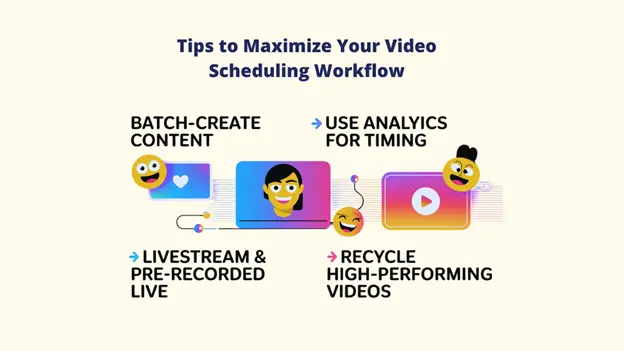
The first step is to schedule your videos online. To really maximize your results, use these expert tips:
A. Batch-Create Video Content
Pick one day each week or even each month to record and edit all short videos in one go. Then use your scheduler’s bulk upload feature to add and schedule them all at once. This cuts out constant switching between tasks and keeps your workflow fast and focused.
Tools like Livecaster can also help by letting you schedule or instantly stream pre-recorded videos across multiple platforms.
B. Use Analytics to Find Optimal Posting Times
Don’t rely on generic best practices. Every major scheduler, including Hootsuite and Sendible, offers features that analyze your audience’s actual activity to recommend the precise hours your content will perform best. Use this data, not guesswork.
C. Use Livestreams and Pre-Recorded Live Videos
Mixing scheduled videos with livestreams can boost engagement. Some tools like Livecaster, let you stream pre-recorded videos as live on multiple platforms. This helps you stay active, build trust, and create “live” moments without actually going live.
D. Recycle High-Performing Videos Strategically
Identify your top 10 most-watched videos from the last six months. Use your scheduler’s Queue or Repeat features (like those in Agorapulse or Zoho Social) to automatically re-publish this evergreen content to new audiences at a slightly varied time, maximizing its lifespan and ROI.
Conclusion
Once you streamline your scheduling, you free up time to focus on what truly matters: creating videos your audience can’t ignore.
No matter who you are, a solo creator, a marketer, or an agency, the right online video scheduling software helps you stay consistent, increase engagement, and make sure every video works harder for you.
Imagine this. Tools like Livecaster even let you turn pre-recorded videos into “live” streams, giving you instant reach and more visibility.
And if you want to level up, pair Livecaster’s streaming ability with Sendible’s smart scheduling for a complete, hands-off video system built for results.
🎯 Remember: viral videos aren’t just about creativity, they depend on consistency.